


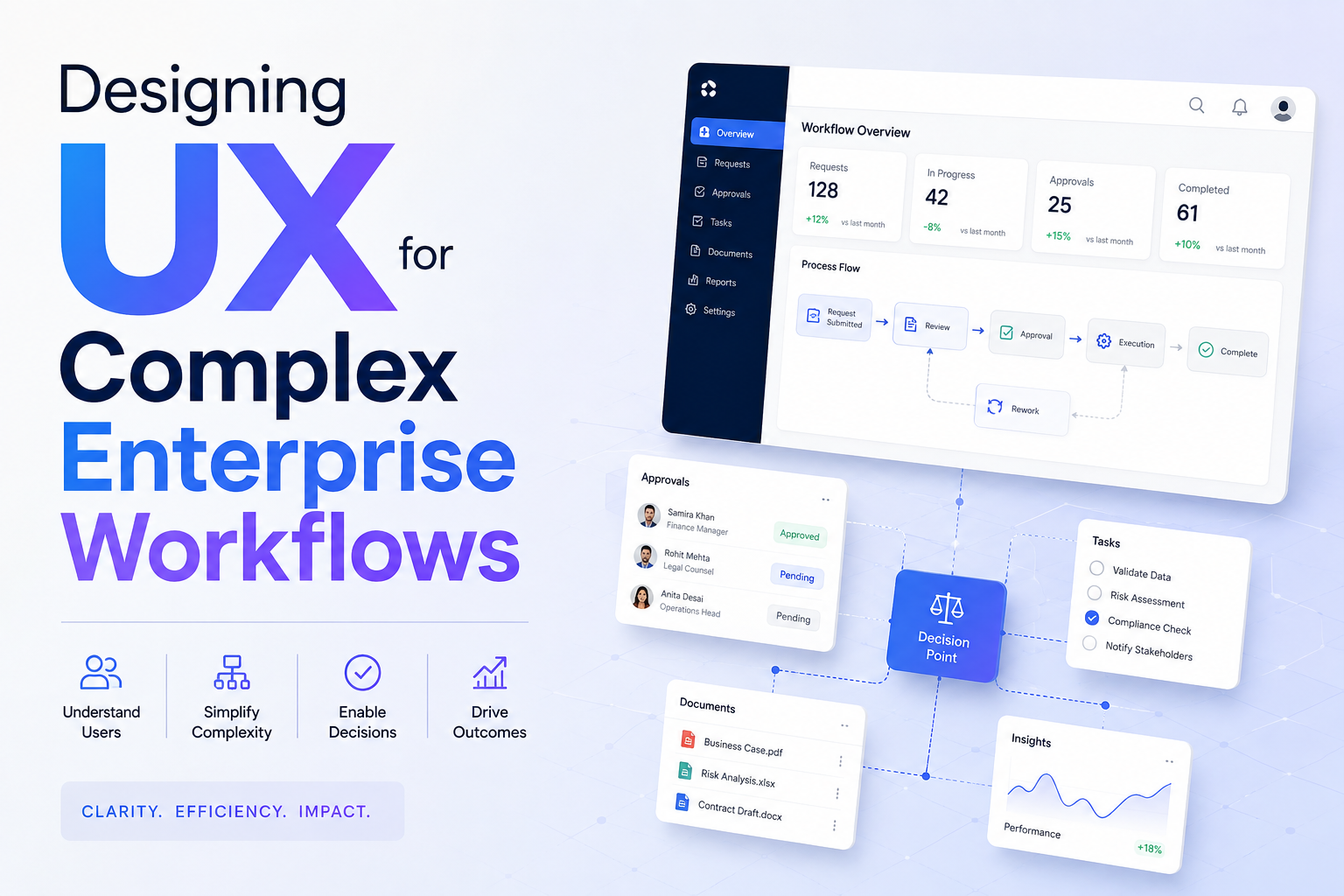
Enterprise applications are rarely difficult because they lack features.
They are difficult because users often have to move through too many steps to complete a single task.
A workflow may involve multiple screens, approvals, data fields, notifications, documents, and external systems. As products grow, these workflows can become increasingly difficult to understand.
This makes workflow UX one of the most important areas for enterprise product teams.
Good workflow design is not about reducing every process to a single click. It is about helping users understand where they are, what they need to do, and what happens next.
Why Enterprise Workflows Become Complicated
Complexity usually develops gradually.
A product starts with a simple process. Over time, teams add:
- New business rules
- Additional approval steps
- More user roles
- Compliance requirements
- Integrations
- Notifications
- Reporting requirements
Each addition may make sense individually.
Together, they can create a difficult user journey.
The UX challenge is therefore to simplify the experience without removing necessary business logic.
Map the Complete Workflow First
Before redesigning screens, UX teams should map the entire process.
For example:
Request → Review → Validation → Approval → Processing → Completion
Then identify what happens at every stage.
Teams should ask:
- Who performs the action?
- What information do they need?
- What decisions must they make?
- Where do they leave the application?
- What can go wrong?
- What happens next?
This often exposes friction that is invisible when looking at individual screens.
Reduce Cognitive Load
Users should not have to remember information from five different screens.
A well-designed workflow keeps relevant information available at the moment it is needed.
For example, an approval interface might display:
Request details + supporting documents + previous approvals + recommended action
rather than forcing the reviewer to open multiple sections.
The objective is to reduce unnecessary mental effort.
Break Large Tasks Into Meaningful Steps
Long forms are a common enterprise UX problem.
Instead of presenting 30 fields on one page, teams can divide the process into logical stages.
For example:
Basic information → Configuration → Review → Confirmation
However, dividing a workflow into too many steps can create another problem.
The number of steps should reflect the user’s mental model, not simply the number of fields in the database.
Show Progress Clearly
Users should know where they are in a process.
Useful patterns include:
- Step indicators
- Section labels
- Completion states
- Saved progress
- Remaining requirements
For long workflows, users should also be able to leave and return without losing their work.
Design for Exceptions
The ideal workflow is only part of the UX.
Enterprise users regularly encounter exceptions:
- Missing information
- Failed approvals
- Duplicate requests
- Expired documents
- Permission issues
- System errors
A strong UX anticipates these situations.
Instead of simply displaying:
“Something went wrong.”
the interface should explain:
What happened → Why it happened → What the user can do next
This can significantly reduce support requests.
Use AI Where It Removes Friction
AI can help simplify complex workflows without taking complete control.
Potential applications include:
- Summarizing long requests
- Detecting missing information
- Suggesting next actions
- Classifying requests
- Finding relevant documents
- Preparing approval summaries
For example, an AI assistant could summarize a 20-page business request before an employee reviews it.
The user remains responsible for the final decision, while AI reduces the time required to understand the information.
Design Role-Based Workflows
Different users may interact with the same process at different stages.
An employee may create a request.
A manager may approve it.
A finance team may validate it.
An administrator may complete the final configuration.
Each role needs different information and actions.
Role-based UX can therefore reduce unnecessary interface complexity while keeping the underlying workflow connected.
Make Statuses Understandable
Enterprise workflows often involve multiple states.
For example:
Draft → Submitted → Under Review → Approved → Processing → Completed
These states should be clearly represented.
Users should never have to guess whether something is waiting for them or another team.
Clear status communication is particularly important when processes take several hours or days.
Measure Workflow UX
Teams should measure the complete journey rather than individual screen engagement.
Useful metrics include:
- Time to completion
- Number of steps
- Error frequency
- Backtracking
- Abandonment
- Support requests
- Repeated data entry
- Successful completion rate
A redesign is successful when users can complete important tasks with less confusion and unnecessary effort.
Industry Perspective
Enterprise product engineering increasingly connects UX design with product architecture, automation, and AI to simplify complex business workflows. Companies such as GeekyAnts have publicly shared work across enterprise and AI product engineering, reflecting the wider movement toward digital products designed around complete business processes rather than isolated screens.
Conclusion
Complex enterprise workflows cannot always be made simple by removing steps.
Some steps exist for legitimate business, security, or compliance reasons.
The real UX opportunity is to make those processes clearer, more predictable, and easier to complete.
The strongest workflow experiences give users the right information at the right moment, communicate progress clearly, handle exceptions gracefully, and use automation where it genuinely reduces effort.