


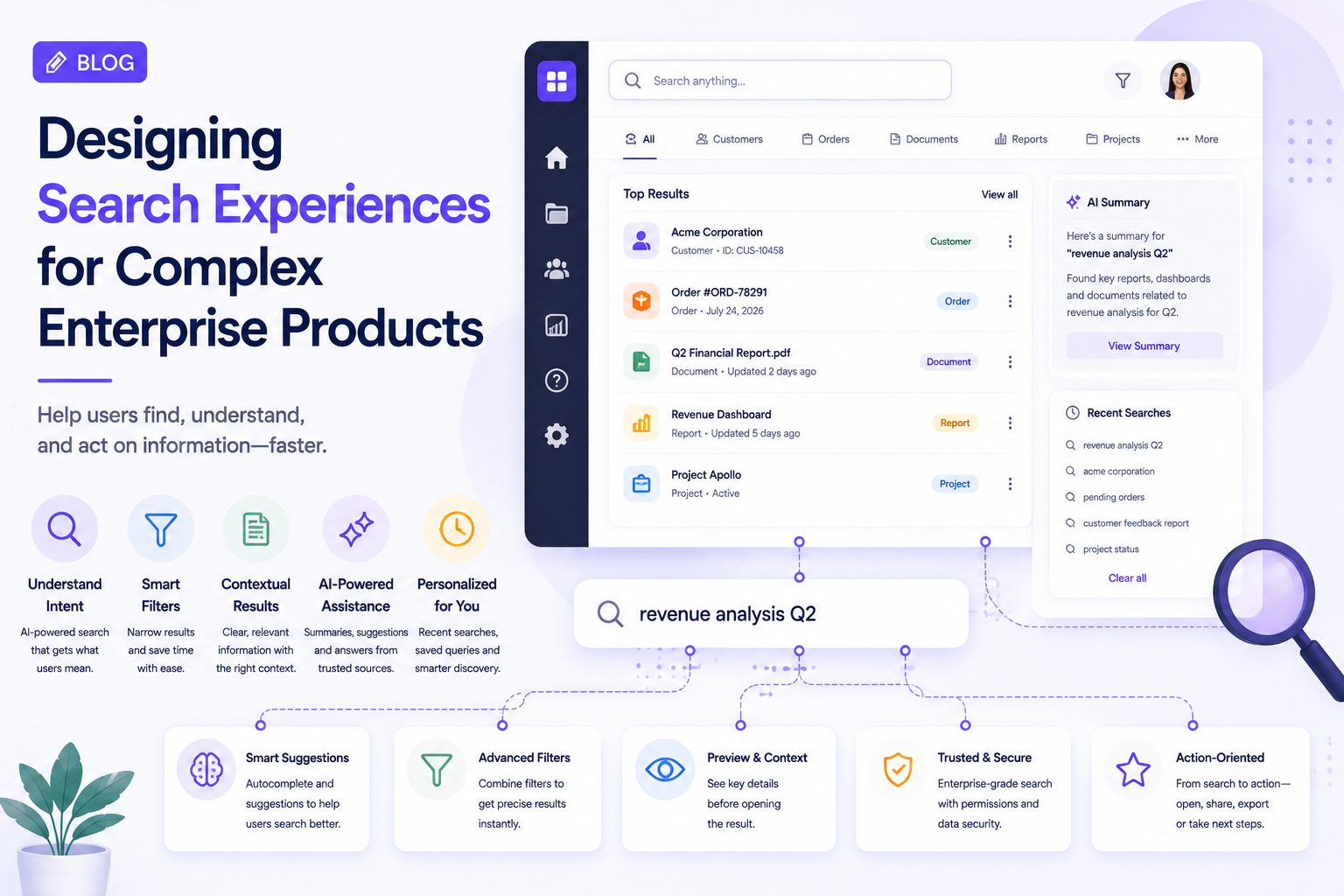
Search is one of the most important interactions in enterprise software.
Employees may use search to find customers, documents, transactions, reports, products, tickets, or internal knowledge. Yet many enterprise applications still treat search as a simple input field rather than a complete user experience.
As enterprise platforms become larger and AI-powered, search UX needs to evolve from finding information to helping users discover, understand, and act on information.
Why Enterprise Search Is Different
Consumer applications often have relatively narrow search requirements.
Enterprise platforms can contain millions of records across different categories and systems.
A single search could return:
- Customers
- Orders
- Documents
- Employees
- Projects
- Reports
- Support tickets
- Knowledge articles
Showing all of these results in one list creates unnecessary complexity.
The UX needs to help users quickly understand what they are looking at.
Search Should Understand User Intent
Users do not always know the exact name of what they are looking for.
Someone might search:
“customers with delayed payments”
rather than entering a customer name.
This creates an opportunity for search experiences to understand intent and connect the query with relevant data.
AI can potentially help interpret natural-language queries and translate them into useful results.
However, users should still understand how the system interpreted their request.
Filters Should Reduce Effort
Filters are particularly valuable when users work with large datasets.
Useful filters can include:
- Date
- Status
- Location
- User
- Category
- Priority
- Department
The interface should make active filters visible and easy to remove.
A good search experience lets users progressively narrow results without forcing them to restart the search.
Search Results Need Context
A result title alone may not be enough.
Consider a document search that returns:
“Annual Report 2026”
There may be several versions.
A better result could show:
Annual Report 2026
Finance · Updated August 24 · Owner: Finance Team
Context helps users determine whether they have found the right result before opening it.
Design for Zero Results
A search experience is not complete when results exist.
Users will inevitably encounter:
No results found.
A poor interface stops there.
A better experience can suggest:
- Check spelling
- Remove a filter
- Try a broader search
- Search another category
- Explore related content
AI can also suggest alternative queries when confidence is high.
Search Suggestions Can Save Time
Autocomplete can help users discover available options before they finish typing.
For example:
“customer…”
could surface:
- Customer records
- Customer reports
- Customer support cases
- Customer analytics
Suggestions should remain relevant rather than displaying an overwhelming list.
AI-Powered Search Needs Transparency
AI can make enterprise search more powerful by summarizing information across multiple sources.
For example:
“What is the current status of Project X?”
The system might summarize project updates from documents, tasks, and discussions.
But the UX should provide access to the underlying information.
Users should be able to understand:
Answer → Supporting sources → Detailed information
This is particularly important when search results influence business decisions.
Personalization Can Improve Search
Different users often search for different things.
A finance employee may frequently search invoices and payment records, while an engineering manager may search projects, incidents, and technical documentation.
Search experiences can use user context to prioritize relevant categories without changing the fundamental search behavior.
The objective is to make discovery faster without making the interface unpredictable.
Search History Should Have a Purpose
Recent searches can be useful for repetitive enterprise workflows.
However, history should not become another cluttered interface.
Useful patterns include:
- Recent searches
- Saved searches
- Frequently used filters
- Favorite queries
Saved searches can be particularly valuable when users repeatedly monitor the same business conditions.
Accessibility Matters
Search must work for users who interact with applications in different ways.
UX teams should consider:
- Keyboard navigation
- Screen readers
- Focus states
- Text scaling
- Clear labels
- Accessible filter controls
- Meaningful result announcements
Search is often a core navigation mechanism, so accessibility issues can affect the entire product experience.
Measure Search Success
Search quality should not be measured only by the number of searches performed.
More useful metrics include:
- Search success rate
- Time to find information
- Search abandonment
- Query refinement frequency
- Zero-result rate
- Result selection rate
- Task completion time
If users search repeatedly without finding what they need, the problem may be with information architecture rather than the search box itself.
Conclusion
Enterprise search is becoming an increasingly important part of product UX.
The strongest search experiences combine clear information architecture, useful filters, contextual results, intelligent suggestions, AI assistance, and transparent information sources.
The objective is not simply to help users find something.
It is to help them move from question → information → understanding → action with as little friction as possible.