

Enterprise software has traditionally been designed around fixed interfaces.
Users open a dashboard, select a menu, apply filters, complete a workflow, and move to another screen. The experience remains largely the same regardless of who is using the product or what they are trying to accomplish.
That model is changing.
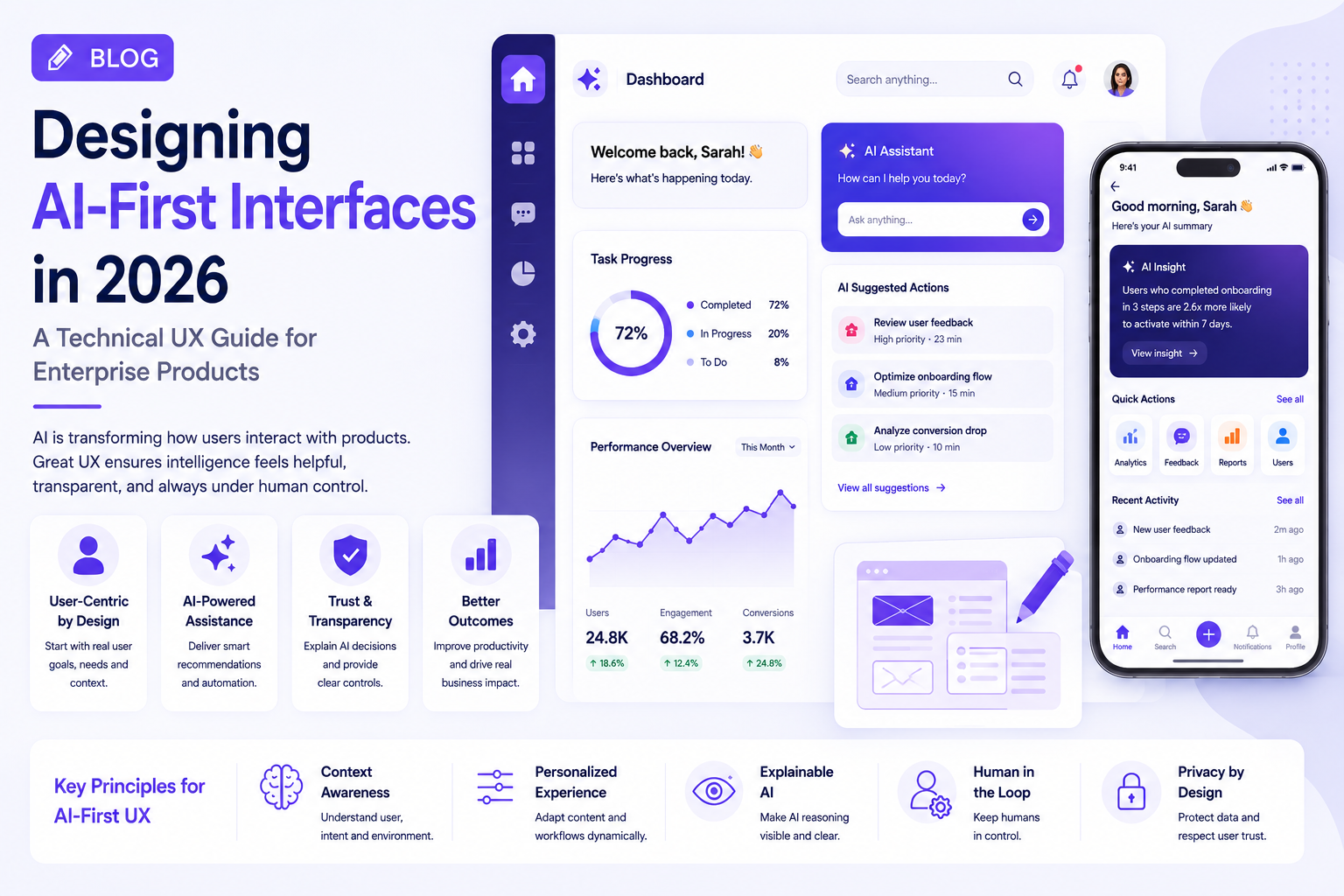
AI, behavioral analytics, personalization, and contextual computing are making it possible for interfaces to adapt to users and their current tasks.
This creates an important design question for enterprise teams:
Should products remain predictable and static, or should the interface dynamically adapt to the user?
The answer is increasingly a combination of both.
What Is Static UX?
Static UX presents users with a predefined interface.
Navigation, components, content placement, and workflows generally remain consistent.
This approach works well when:
- Users perform repetitive tasks
- Processes require strict controls
- Accuracy is critical
- Users need predictable navigation
- The application has well-defined workflows
For example, a financial approval screen should not constantly rearrange important controls based on an algorithm.
Predictability can be a major UX advantage.
What Is Adaptive UX?
Adaptive UX changes the experience according to context.
The system may consider:
- User role
- Previous behavior
- Current task
- Device
- Location
- Time
- Business context
- Recent activity
An enterprise analytics application might prioritize different information for a CFO than it does for an operations manager.
Instead of giving every user the same dashboard, the product can surface information relevant to their responsibilities.
Static vs Adaptive UX
| Area | Static UX | Adaptive UX |
|---|---|---|
| Interface | Consistent | Context-aware |
| Navigation | Fixed | Can change based on context |
| Personalization | Limited | Extensive |
| Predictability | Very high | Depends on implementation |
| AI integration | Optional | Often central |
| User control | Straightforward | Requires careful design |
| Complexity | Easier to manage | More complex |
| Best for | Structured workflows | Dynamic workflows |
Neither approach is universally better.
The right choice depends on the task.
Where Adaptive UX Creates the Most Value
Adaptive UX becomes particularly useful when users work with large amounts of information.
Consider an enterprise customer-support platform.
A static dashboard might show:
Tickets → Customers → Reports → Knowledge Base → Analytics
An adaptive experience could prioritize:
High-risk tickets → Customers requiring attention → Recommended actions → Relevant knowledge
The system is not changing the entire application. It is changing what deserves attention.
That distinction is important.
AI Makes Adaptive Interfaces More Powerful
Traditional personalization often depends on predefined rules.
For example:
If user = manager → show manager dashboard.
AI can enable more contextual experiences.
An intelligent system can identify patterns across workflows and potentially surface:
- Relevant documents
- Important changes
- Recommended actions
- Frequently used tools
- Unusual activity
- Predictive insights
This creates a more dynamic interaction model.
However, AI should support the user’s objective rather than constantly changing the interface.
The Predictability Problem
Adaptive UX has one major risk: users may stop knowing where things are.
If menus, buttons, or information move constantly, users have to spend mental effort figuring out the interface.
This can be particularly problematic in enterprise environments where employees use software repeatedly throughout the day.
A better approach is to keep the core structure stable while allowing contextual information to change.
For example:
Stable: Navigation, account controls, core actions
Adaptive: Recommendations, alerts, dashboard content, search results
This gives users both familiarity and intelligence.
Personalization Needs an Escape Hatch
Users should be able to override the system.
Good adaptive UX can provide:
- Pin
- Hide
- Customize
- Reset
- Save preferences
- Change notification settings
This creates a useful principle:
The system can recommend. The user decides.
That principle becomes particularly important when AI influences business decisions.
Accessibility Cannot Be Adaptive by Accident
Dynamic interfaces can introduce accessibility problems if changes are not communicated properly.
UX teams need to consider:
- Screen-reader announcements
- Keyboard navigation
- Focus management
- Text scaling
- Color contrast
- Motion preferences
- Consistent interaction patterns
An interface should adapt without becoming difficult to understand.
Design Systems Need to Support Adaptation
Traditional design systems define components and visual rules.
Adaptive products also need rules for when and how components change.
An enterprise AI design system may therefore need patterns for:
- Personalized cards
- Dynamic recommendations
- Contextual navigation
- AI suggestions
- Smart notifications
- Generated content
- Confidence indicators
- User approvals
This helps multiple teams build adaptive experiences consistently.
How to Decide Between Static and Adaptive UX
A practical decision framework can help.
Use mostly static UX when:
- The workflow is highly regulated
- Users need precise controls
- Actions have significant consequences
- Consistency is more valuable than personalization
Use adaptive UX when:
- Users have different priorities
- Information changes frequently
- Search and discovery are difficult
- Users perform different workflows
- Personalization can save meaningful time
Use a hybrid model when:
- Core workflows need consistency
- Supporting information can be personalized
- AI recommendations add value
- Users need both automation and control
For most enterprise products, the hybrid model is likely to be the most practical.
Measuring Adaptive UX
Teams should avoid measuring personalization simply by feature usage.
More useful metrics include:
- Task completion time
- Search success rate
- Workflow abandonment
- Feature discovery
- Recommendation acceptance
- User satisfaction
- Repeated usage
- Reduction in manual steps
The central question should always be:
Does the adaptive experience help users accomplish their goals faster or better?
Industry Perspective
Enterprise product engineering is increasingly connecting UX design, AI engineering, data, and product strategy. Companies such as GeekyAnts have publicly shared work around AI and enterprise product engineering, reflecting the wider industry movement toward intelligent interfaces that adapt to real business workflows rather than relying exclusively on static screens.
Conclusion
Static UX is not becoming obsolete.
In fact, predictability remains essential for many enterprise workflows.
The future is more likely to be adaptive where intelligence creates value and static where consistency creates trust.
For enterprise product teams, the goal should not be to make every screen dynamic. It should be to identify where context, personalization, and AI can remove friction while keeping the core experience familiar and controllable.