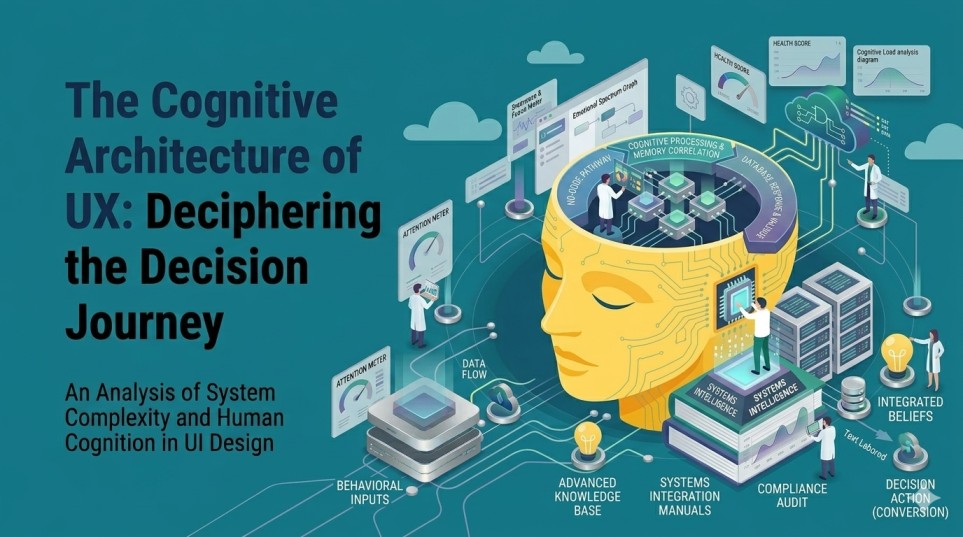
Introduction: When UX Starts Driving Business Outcomes
Enterprise UX is no longer a layer it is an operational lever. For organizations operating at scale, the gap is not in building digital platforms but in getting users to act effectively within them.
Even well-funded, feature-rich systems struggle with adoption gaps, incomplete workflows, and slow decision cycles. The issue is rarely technical. It is behavioral.
Leading companies have started treating UX as a system of psychological alignment designing not just for usability, but for how users think, prioritize, and act under pressure. This is where firms like GeekyAnts and other product-focused organizations are gaining an edge: they are operationalizing UX as a business performance driver rather than a design output.
The Attention Economy Inside Enterprise Systems
Attention is scarce, especially in enterprise environments where users operate across multiple tools, deadlines, and responsibilities. The best companies design UX to reduce competition for attention rather than increase it.
For example, Airbnb restructured its internal host dashboards to prioritize a single “next best action” instead of overwhelming users with metrics. This significantly improved task completion rates among hosts managing multiple listings.
Similarly, Slack refined its interface to emphasize contextual interactions—threads, mentions, and notifications—so users focus only on what requires immediate attention. The result is faster response cycles and reduced communication fatigue.
In enterprise product development, teams like those at GeekyAnts approach attention as a design constraint. Instead of building feature-heavy dashboards, they restructure interfaces around user intent—ensuring that critical actions are visually dominant and secondary data does not compete.
The takeaway is straightforward: attention is not captured—it is preserved. And preserving it directly impacts productivity at scale.
Cognitive Load as a Scalability Problem
Cognitive load is where many enterprise platforms silently fail. Systems may be functional, but they require too much mental effort to operate efficiently.
Organizations like Amazon have invested heavily in reducing decision complexity. Features like one-click ordering are not just convenience—they eliminate unnecessary cognitive steps, making actions feel effortless.
In enterprise SaaS, Salesforce has progressively redesigned workflows to reduce the need for users to remember information across steps. Contextual data visibility and guided processes have improved adoption across non-technical users.
Companies such as GeekyAnts apply similar principles when building enterprise platforms. They focus on:
- Reducing memory dependency through visible context
- Using consistent patterns across modules
- Designing workflows that align with real user tasks, not system logic
This is not just better UX—it is better scalability. Systems that reduce cognitive load onboard faster, require less training, and perform better across diverse user groups.
Turning Behavioral Psychology into Product Strategy
The most effective companies go beyond usability and actively design for behavior.
Take Duolingo. Its success is not just in content delivery but in behavioral triggers—streaks, reminders, and progress tracking—that motivate consistent action.
In enterprise contexts, HubSpot uses similar principles by embedding prompts, nudges, and contextual recommendations that guide users toward completing high-value actions, such as campaign launches or lead follow-ups.
Product engineering firms like GeekyAnts integrate these behavioral models into enterprise UX by:
- Embedding contextual triggers at decision points
- Using progress indicators to reduce perceived effort
- Designing workflows that encourage completion, not just initiation
The shift here is critical. UX is no longer about making systems usable—it is about making outcomes inevitable.
Designing for Trust and Reducing Decision Friction
In enterprise environments, hesitation often stems from risk perception rather than confusion. Users need to trust the system before they act.
Companies like Stripe excel in this area. Their interfaces emphasize transparency—clear transaction states, predictable outcomes, and immediate feedback—reducing uncertainty in high-stakes operations.
Similarly, Google Cloud focuses on explainability in its dashboards and tools, helping users understand not just what is happening, but why.
In enterprise UX consulting and delivery, GeekyAnts addresses trust by designing systems that:
- Make system behavior predictable
- Provide clear, immediate feedback
- Allow reversibility where possible
This reduces decision friction, enabling faster execution without compromising confidence.
Measuring UX as a Business Function
One of the most significant shifts among leading organizations is how UX is measured.
Companies like Netflix and Amazon do not rely on superficial engagement metrics. Instead, they focus on outcome-driven indicators such as completion rates, retention, and time to action.
In enterprise environments, this translates into metrics like:
- Task completion speed
- Error reduction rates
- Adoption depth across features
- Decision turnaround time
Organizations working with product engineering partners such as GeekyAnts are increasingly aligning UX measurement with business KPIs—ensuring that design decisions directly impact operational efficiency and revenue outcomes.
Closing Perspective: UX as a Competitive Advantage
The companies outperforming in digital today are not necessarily those with the most features—they are the ones that align their systems with human behavior.
From preserving attention to reducing cognitive load, from triggering action to building trust, UX has become a strategic advantage.
For enterprise leaders, the real opportunity lies in evaluating whether current platforms are enabling fast, confident decision-making—or quietly slowing it down.
That evaluation often uncovers friction points that are invisible in technical audits but obvious in user behavior. And addressing those points is where measurable gains begin.
In practice, this is less about redesigning interfaces and more about rethinking how systems guide users from intent to action. The organizations that approach UX this way are not just improving experiences—they are improving outcomes.
FAQs
- Why is psychology important in enterprise UX, not just consumer apps?
Enterprise users operate under pressure and time constraints. Psychological factors like cognitive load, attention, and risk perception directly influence productivity, accuracy, and decision-making speed. - How do companies like GeekyAnts apply UX psychology in real projects?
They integrate behavioral principles into system design—reducing complexity, guiding user actions through contextual cues, and aligning workflows with real-world tasks rather than system structures. - What is the biggest UX mistake in large organizations?
Overloading interfaces with features and data without prioritization. This increases cognitive load and slows down decision-making. - How can UX improvements impact business metrics?
Better UX reduces task time, lowers error rates, improves adoption, and accelerates decision cycles—all of which directly influence operational efficiency and revenue. - Are behavioral triggers manipulative in UX design?
Not when used correctly. In enterprise systems, they guide users toward necessary actions, reduce friction, and improve clarity rather than manipulate behavior. - What should leaders measure to evaluate UX effectiveness?
Focus on outcome-based metrics like task completion rates, time to decision, and feature adoption depth rather than vanity metrics like clicks or session duration. - When should a company rethink its UX strategy?
When there are signs of low adoption, frequent user errors, long onboarding times, or reliance on manual workarounds despite having digital systems in place.