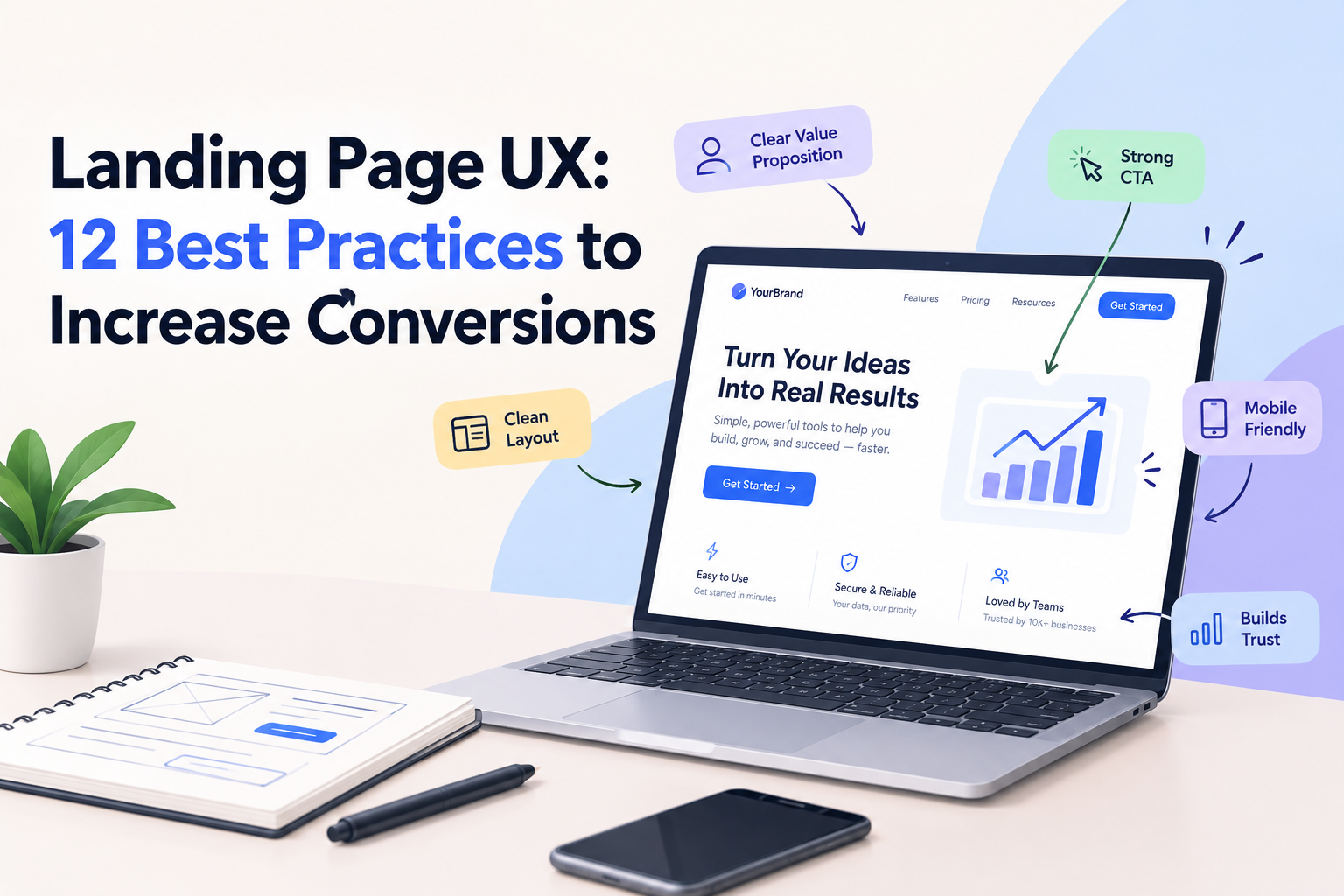
A landing page has one primary job: help visitors understand an offer and decide what to do next. Whether the goal is to generate leads, encourage product sign-ups, promote a service, or sell a product, the page needs to communicate value quickly and remove unnecessary friction.
However, a visually attractive landing page does not automatically produce conversions. Visitors may leave if the headline is unclear, the call to action is difficult to find, the form asks for too much information, or the page fails to establish trust.
Effective landing page UX combines clear messaging, visual hierarchy, intuitive interactions, and performance. Here are 12 practical best practices for designing landing pages that serve both user needs and business goals.
What Is Landing Page UX?
Landing page UX refers to how easily visitors can understand, navigate, and interact with a page designed around a particular goal.
It includes the content structure, visual hierarchy, navigation, calls to action, forms, mobile responsiveness, accessibility, and feedback users receive when they interact with the page.
Good landing page UX reduces uncertainty. Visitors should understand what is being offered, why it may be relevant to them, and how to take the next step.
12 Landing Page UX Best Practices
1. Write a Clear, Benefit-Focused Headline
The headline is often the first piece of content visitors notice. It should explain the core value of the offer without forcing people to interpret vague marketing language.
Instead of relying on broad claims such as “Transform Your Business,” explain what the product or service helps users accomplish.
Support the headline with a concise subheading that provides context, identifies the intended audience, or explains the primary benefit.
2. Establish a Strong Visual Hierarchy
Visitors rarely read every word on a landing page. They scan headings, supporting text, images, and buttons to decide whether the offer deserves their attention.
Use typography, spacing, alignment, and contrast to establish a clear reading order. The most important information should be easy to find, while supporting details should remain accessible without competing for attention.
A useful test is to show the first screen to someone unfamiliar with the product and ask what the page offers.
3. Keep the Primary Call to Action Prominent
A call to action should describe the next step clearly. Labels such as “Book a Consultation,” “Start a Free Trial,” or “View Pricing” are more informative than generic wording when they accurately describe the action.
Use a visually distinct primary button and place it where users can find it naturally. On longer pages, repeat the main action at relevant points without making every section feel like an advertisement.
4. Match the Page to User Intent
A visitor arriving from an advertisement, an organic search result, or an email campaign may have a specific expectation.
The landing page should continue the conversation started by the source. If an advertisement promotes a particular service, the destination page should explain that service rather than forcing visitors to search through a general homepage.
Message consistency helps users understand that they have reached the right destination.
5. Reduce Form Friction
Forms can become a major barrier when they request information users are not ready to provide.
Ask only for details necessary for the immediate purpose. Use clear labels, explain required fields, and provide helpful error messages when something goes wrong.
For longer forms, consider grouping related fields or breaking the process into manageable steps. Test whether the additional steps improve completion rather than assuming that a multi-step form is always better.
6. Build Trust With Relevant Evidence
Visitors may hesitate if they cannot verify the business or understand what happens after conversion.
Where appropriate, include genuine customer testimonials, relevant case studies, transparent pricing information, clear contact details, and accurate product screenshots.
Avoid unsupported statistics, fabricated testimonials, or exaggerated guarantees. Trust signals work best when they answer real questions rather than simply decorate the page.
7. Optimize the Mobile Experience
Landing pages should be easy to use on smaller screens, where layouts, navigation, and forms behave differently from desktop versions.
Check text readability, button spacing, form controls, image cropping, and the order in which content appears. Ensure that important actions remain accessible without excessive scrolling or awkward gestures.
Test the full conversion journey on real mobile devices, not just in a desktop browser’s responsive preview.
8. Improve Page Loading Performance
Large images, unnecessary scripts, and third-party widgets can delay the moment visitors can interact with a page.
Compress images, use appropriate image dimensions, remove unnecessary code, and evaluate the impact of analytics or marketing scripts.
Monitor Core Web Vitals alongside real user behavior. A fast page can reduce friction, but performance improvements should be evaluated together with content relevance and usability.
9. Use Images That Explain the Offer
Visuals should help visitors understand a product, service, or outcome.
For software products, a relevant interface screenshot may communicate more than a generic stock photograph. For physical products, detailed imagery can answer questions about appearance, scale, or usage.
Avoid decorative images that push important content farther down the page without adding useful context.
10. Make the Page Accessible
Accessibility allows more people to understand and use the landing page.
Maintain readable text contrast, provide meaningful alternative text where needed, label form controls, support keyboard navigation, and make focus states visible.
Do not rely on color alone to communicate errors or success. Accessibility checks should combine automated tools with manual testing.
11. Remove Unnecessary Distractions
Every additional element competes for attention. Multiple competing buttons, unrelated navigation links, intrusive pop-ups, and excessive animation can make it harder for visitors to understand the primary action.
This does not mean every landing page must remove all navigation or secondary content. The right structure depends on user expectations, the offer, and the complexity of the decision.
Keep elements that support informed decisions and remove those that distract without providing meaningful value.
12. Test and Improve the Page Continuously
Landing page design should be treated as an ongoing process.
Use analytics and usability research to identify where visitors struggle. Test specific hypotheses, such as whether a clearer headline helps visitors understand the offer or whether a shorter form improves completion.
When running A/B tests, change elements with a clear reason, collect sufficient data, and avoid declaring a winner based on small or unreliable differences.
Common Landing Page UX Mistakes
Some recurring problems include:
- A headline that describes the business but not the visitor’s benefit.
- Several competing primary calls to action.
- Forms that request unnecessary personal information.
- Mobile layouts that hide important content.
- Testimonials or claims without credible evidence.
- Slow-loading images and third-party scripts.
- Pop-ups that interrupt users before they understand the offer.
- Conversion tracking that fails to record successful submissions.
Address these issues based on their impact on the user journey rather than redesigning every element at once.
How to Measure Landing Page UX Performance
The most useful metrics depend on the page’s goal. Consider monitoring:
- Conversion rate: The proportion of visitors completing the desired action.
- Form completion rate: The proportion of users who finish a form after starting it.
- CTA engagement: Whether visitors interact with the primary action.
- Task completion: Whether users can understand and complete the intended journey.
- Page performance: Loading, responsiveness, and visual stability.
- Lead quality: Whether submitted leads match the business’s target audience.
A high conversion rate is not always evidence of a good user experience. Make sure visitors understand the offer and that the resulting conversions are valuable to the business.
Conclusion
Landing page UX is about helping visitors make informed decisions with less effort. Clear headlines, logical visual hierarchy, relevant evidence, accessible forms, mobile-friendly layouts, and focused calls to action all contribute to a more usable experience.
Rather than copying design trends, start with the needs of your audience and the goal of the page. Measure how users respond, test meaningful improvements, and refine the experience over time.
A landing page works best when its design makes the next step obvious without making the decision feel forced.