


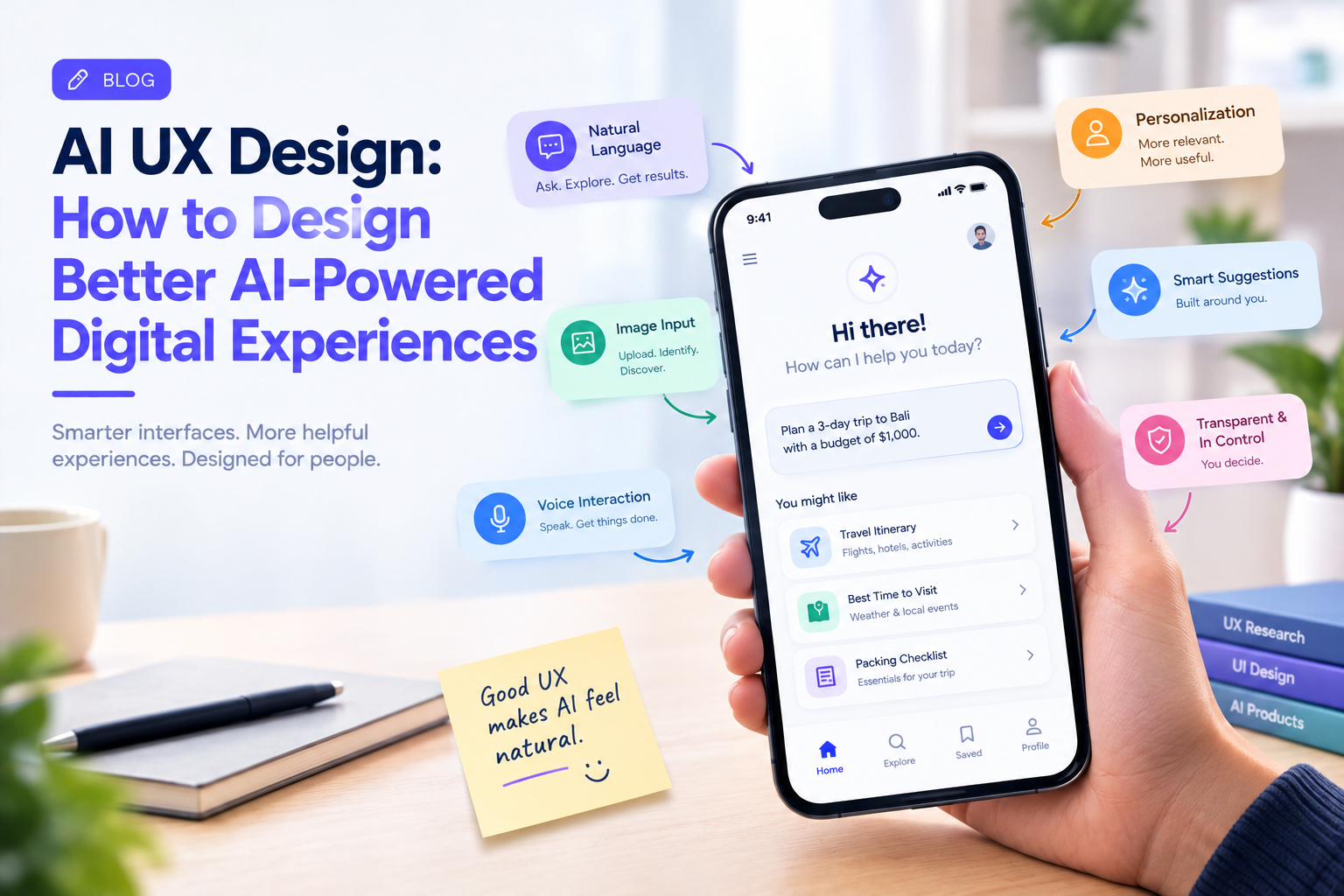
AI is changing not only what digital products can do, but also how people interact with them.
Traditional interfaces usually depend on predictable actions: users tap a button, enter a search term, select a filter, and navigate from one screen to another.
AI-powered products can work differently.
Users can ask questions in natural language, upload images, speak to an application, receive personalized recommendations, or ask an AI system to complete part of a task.
This creates a new challenge for designers.
How do you design an interface when the system itself can interpret, generate, and adapt?
That is where AI UX design becomes important.
What Is AI UX Design?
AI UX design is the process of designing user experiences for products that use artificial intelligence.
It goes beyond adding a chatbot to an existing interface.
Designers need to consider how users interact with AI, how the system communicates uncertainty, what happens when an AI response is incorrect, and when users should remain in control.
A good AI experience should make the technology feel useful without making the user feel powerless or confused.
1. Design for Intent, Not Just Commands
Traditional interfaces often require users to understand how the system works.
AI interfaces can allow users to express what they actually want.
For example, instead of navigating through multiple filters, a user could write:
“Find affordable running shoes suitable for long-distance training.”
The AI can interpret the intent and provide relevant options.
The UX challenge is making the result understandable.
Users should be able to see what the system understood and adjust the request when necessary.
2. Give Users Control
AI should assist users rather than silently make important decisions for them.
For low-risk tasks, automation may be convenient.
For important actions such as making payments, deleting information, submitting applications, or changing account settings, users may need confirmation before anything happens.
A useful pattern is:
AI suggests → User reviews → User confirms
This creates a balance between automation and control.
3. Make AI Responses Easy to Scan
AI can generate long answers very quickly.
That does not mean users want to read them.
Interfaces should organize AI-generated information using headings, summaries, bullets, expandable sections, or relevant actions.
For example, instead of presenting a long AI response about an order, a shopping app could show:
Order Status: Preparing
Expected Delivery: Today, 7:30 PM
Need Help? Contact Support
The AI may be doing complex work behind the scenes, but the interface should remain simple.
4. Design for Uncertainty
Traditional software usually produces predictable results.
AI does not always behave that way.
An AI system may misunderstand a request, produce incomplete information, or provide an answer with varying levels of confidence.
The UX should account for this.
Instead of presenting every AI response as unquestionable truth, the interface can provide appropriate context, sources, confidence indicators, review options, or ways to correct the result.
The user should understand when they are receiving an AI-generated response.
5. Make Errors Recoverable
AI mistakes are inevitable.
The important question is what happens afterward.
If an AI assistant misunderstands a request, the user should be able to correct it without starting over.
For example:
User: “Book a table for Friday.”
AI: “Booked for Friday at 7 PM.”
User: “I meant Saturday.”
A good experience should allow the user to correct the action naturally.
AI UX should therefore support conversation, correction, undo, and revision.
6. Combine AI With Traditional UI
Not every task needs a chatbot.
Sometimes a conventional interface is faster.
For example, selecting a date from a calendar is often easier than asking an AI assistant to interpret a date.
The strongest AI experiences can combine both approaches.
A user might type a natural-language request and then refine the result using familiar filters, dropdowns, buttons, or sliders.
AI should complement established interaction patterns rather than replace them unnecessarily.
7. Personalization Needs Boundaries
AI can personalize interfaces based on user behavior, preferences, or context.
A shopping application could prioritize relevant products.
A productivity application could surface frequently used actions.
A streaming platform could adapt recommendations.
But personalization can become uncomfortable when users do not understand why something is being shown.
Designers should consider transparency and user control.
Personalization should make the experience more useful without making users feel watched.
8. Multimodal UX Is Becoming More Important
AI allows users to interact through more than text.
Depending on the product, users may use:
- Voice
- Images
- Text
- Video
- Gestures
- Documents
For example, a user could upload a photo of a product and ask an AI assistant to find similar products.
Or a user could photograph a document and ask the application to summarize it.
Designers need to consider how these different inputs connect into one consistent experience.
9. AI Should Not Hide Important Information
A clean interface does not mean hiding everything behind AI.
Users still need access to important information, settings, permissions, history, and controls.
For example, an AI assistant may summarize an account, but users should still be able to inspect the underlying information when needed.
Good AI UX provides shortcuts without creating black boxes.
10. Test AI UX Differently
Traditional usability testing asks whether users can complete a task.
AI UX testing needs additional questions.
Can users understand what the AI is doing?
Do they trust it appropriately?
Can they recognize when an answer may be incorrect?
Can they correct mistakes?
Do they know when a human or traditional workflow is available?
AI products need to be evaluated not only for usability but also for trust, transparency, control, and recovery.
AI Should Reduce Cognitive Load
One of the biggest opportunities for AI UX is reducing the amount of work users have to perform.
Instead of forcing people to remember where information is located, AI can help retrieve it.
Instead of making users manually summarize large documents, AI can provide a starting point.
Instead of requiring users to navigate several screens, an AI assistant can potentially bring the relevant action forward.
The objective is not to make the interface more complicated with AI.
It is to make the experience simpler.
Current UX research is also highlighting cognitive load, AI-assisted workflows, personalization, and the changing role of designers as important 2026 themes.
Where UX Designers Fit in an AI Product
AI may generate layouts, content, prototypes, or interface concepts quickly.
But designers still need to decide:
- What should AI actually do?
- What should remain manual?
- When should users confirm an action?
- How should uncertainty be communicated?
- What happens when AI fails?
- What information should users see?
- How should the experience remain accessible?
The value of UX design increasingly comes from making these product decisions rather than simply producing screens.
Companies such as GeekyAnts work across UI/UX design and product engineering, which is particularly relevant for AI products where interface decisions need to connect with the underlying models, APIs, workflows, and business logic.
The Best AI UX May Feel Surprisingly Simple
AI technology can be extremely complex behind the interface.
The user does not necessarily need to see that complexity.
A well-designed AI product can feel straightforward:
Ask → Understand → Review → Act
The technology handles the complexity while the interface preserves clarity and control.
That is ultimately the goal of AI UX design.
Not making products look more futuristic.
Making powerful technology easier for people to use.