

Enterprise products are becoming more intelligent, but that does not mean traditional UX is disappearing.
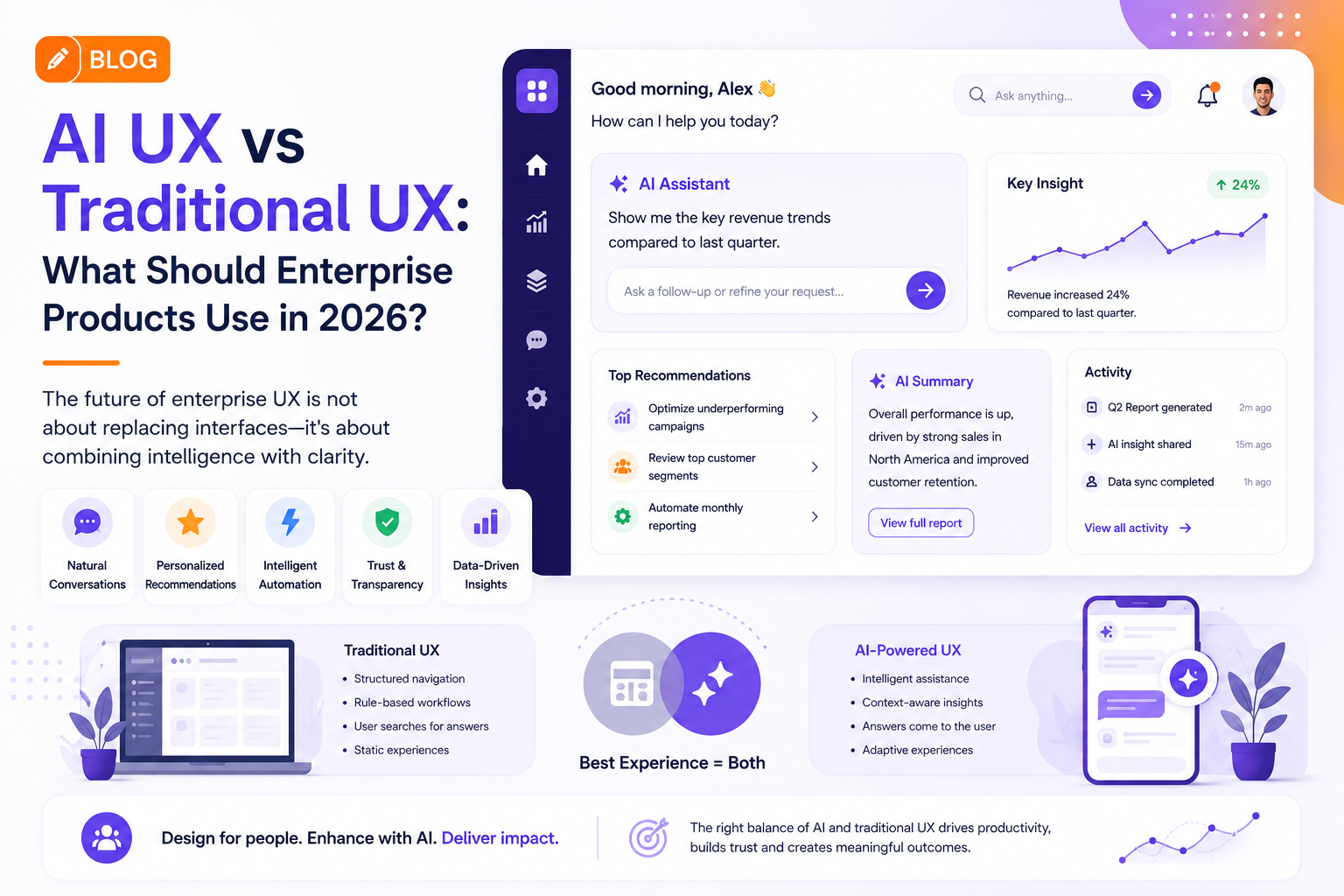
Dashboards, navigation menus, search bars, forms, and structured workflows still play an important role. At the same time, AI introduces natural-language interactions, personalized recommendations, automation, and adaptive interfaces.
The real UX challenge in 2026 is deciding when to use AI interaction and when traditional interface patterns work better.
Traditional UX Still Has an Important Role
Traditional UX works particularly well when users already understand the workflow and need predictable controls.
Examples include:
- Financial transactions
- Account settings
- Data entry
- Product configuration
- Administrative workflows
- Reporting dashboards
Users often prefer familiar patterns when accuracy and control are important.
A well-designed navigation system can be faster than asking an AI assistant to perform a simple task.
Where AI UX Creates an Advantage
AI becomes more valuable when users have to interpret information or complete complicated workflows.
AI-powered UX can support:
- Natural-language search
- Personalized recommendations
- Automated summaries
- Predictive insights
- Intelligent content generation
- Workflow assistance
- Context-aware suggestions
For example, instead of searching through several reports, a user could ask an AI interface to identify unusual changes in quarterly performance.
The system can then provide a summary while allowing the user to explore the underlying data.
AI UX Should Not Replace Everything
One common mistake is trying to make every interaction conversational.
Not every task benefits from AI.
A simple toggle, dropdown, or button can be more efficient than a conversational interface.
The strongest enterprise products often use a hybrid UX model, combining predictable interface components with intelligent assistance.
The Importance of User Control
Enterprise users need confidence in AI-generated results.
AI experiences should therefore provide:
- Clear explanations
- Source information
- Editable outputs
- Approval controls
- Confirmation before important actions
- Error recovery
This is particularly important when AI is used in financial, healthcare, security, or operational workflows.
Design Systems Need to Evolve
Traditional design systems contain components such as buttons, cards, tables, forms, and navigation.
AI-powered products require additional patterns for:
- AI suggestions
- Generated content
- Streaming responses
- Confidence indicators
- Agent actions
- Human approvals
- AI errors
An AI-ready design system helps organizations maintain consistency as intelligent features expand across multiple products.
Measuring AI UX
The success of an AI interface should not be measured by how many AI features a product contains.
More useful metrics include:
- Task completion time
- User adoption
- Workflow completion
- Error reduction
- Recommendation acceptance
- User satisfaction
- Support-ticket reduction
These measurements connect UX improvements to real business outcomes.
Industry Perspective
The product engineering industry is increasingly bringing UX, AI engineering, and product strategy together. Companies such as GeekyAnts have publicly showcased work across industries including fintech, healthcare, and SaaS, reflecting the broader shift toward intelligent digital products that combine automation with human-centered design.
Conclusion
The future of enterprise UX is unlikely to be completely traditional or completely AI-driven.
The strongest products will combine structured interfaces for control and AI interactions for intelligence.
For enterprise technology leaders, the priority should be choosing the interaction model based on the user’s task not adding AI simply because it is available.