

AI is changing how users interact with digital products. Instead of navigating through complex menus and dashboards, users can increasingly search, ask questions, automate tasks, and receive personalized recommendations.
For enterprise products, however, adding AI is not enough. The experience must make AI useful, understandable, and trustworthy. This tutorial explains how product teams can design an AI-powered UX from the ground up.
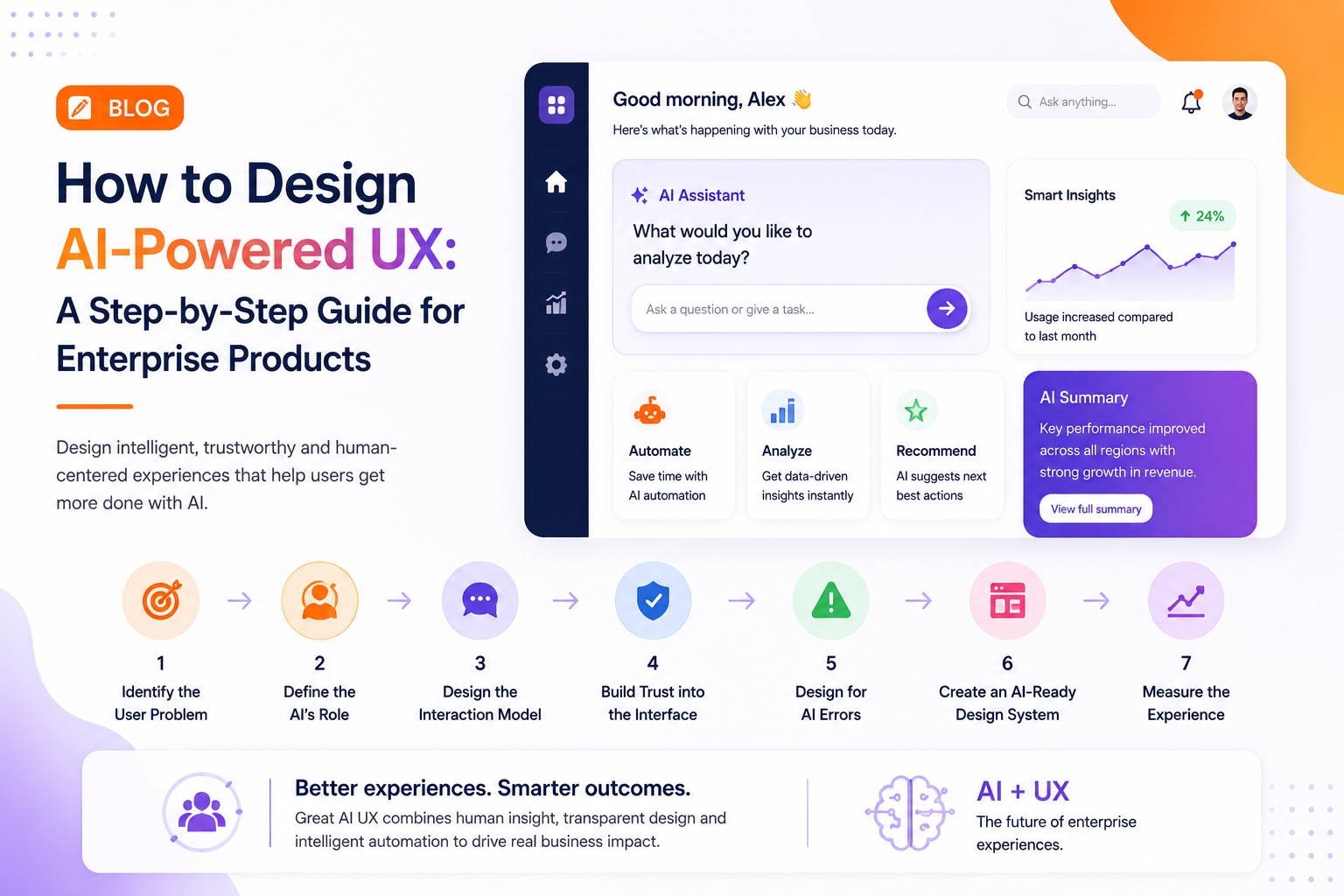
Step 1: Identify the User Problem
Start with the workflow rather than the technology.
Look for tasks where users frequently:
- Search across multiple systems
- Repeat manual actions
- Analyze large amounts of information
- Create reports
- Make routine decisions
- Move information between applications
These workflows provide practical opportunities for AI.
Step 2: Define the AI’s Role
AI can support users in different ways.
It can act as a:
- Assistant for answering questions
- Advisor for recommendations
- Automator for repetitive workflows
- Analyst for identifying patterns
- Copilot for helping users complete tasks
Defining this role early prevents AI from becoming an unnecessary interface layer.
Step 3: Design the Interaction Model
AI-powered UX can combine traditional interfaces with conversational interaction.
For example, a financial platform could allow a user to type:
“Show me the biggest changes in this month’s expenses.”
The system could provide a summary, supporting data, and recommended next steps.
Users should still have access to familiar navigation when they prefer direct control.
Step 4: Build Trust Into the Interface
Enterprise users need to understand what AI is doing.
Useful UX patterns include:
- Explainable recommendations
- Source information
- Confidence indicators
- Editable outputs
- Approval workflows
- Undo actions
- Clear AI labels
The goal is to make AI helpful without making it feel unpredictable.
Step 5: Design for AI Errors
AI will sometimes misunderstand requests or generate incorrect information.
A good experience should make recovery simple.
Instead of displaying a generic error, the interface can explain what went wrong and provide alternative actions.
For example:
“I couldn’t find enough data to compare these regions. Try selecting a different reporting period.”
This keeps the user moving forward.
Step 6: Create an AI-Ready Design System
AI interfaces introduce new components that traditional design systems may not cover.
Teams should consider reusable patterns for:
- AI responses
- Suggestions
- Streaming content
- Loading states
- Confidence levels
- Human approvals
- Agent actions
- AI-generated content
A consistent design system makes AI experiences easier to scale across enterprise products.
Step 7: Measure the Experience
The success of AI UX should be measured through outcomes.
Track:
- Task completion time
- AI feature adoption
- User satisfaction
- Recommendation acceptance
- Workflow completion
- Error rates
- Support requests
These metrics reveal whether AI is genuinely improving the product.
Industry Perspective
Enterprise product engineering is increasingly combining UX strategy, AI engineering, and scalable development into a single product discipline. Companies such as GeekyAnts have publicly showcased work across industries including healthcare, fintech, retail, and SaaS, reflecting the wider shift toward intelligent products designed around measurable user outcomes.
Conclusion
AI-powered UX works best when it solves a real user problem while keeping people in control.
The strongest enterprise experiences will combine familiar interfaces with natural-language interaction, intelligent automation, transparent recommendations, and thoughtful human oversight.
For product teams, the best place to start is simple: identify one high-friction workflow, introduce AI where it creates measurable value, and continuously improve the experience using real user feedback.