

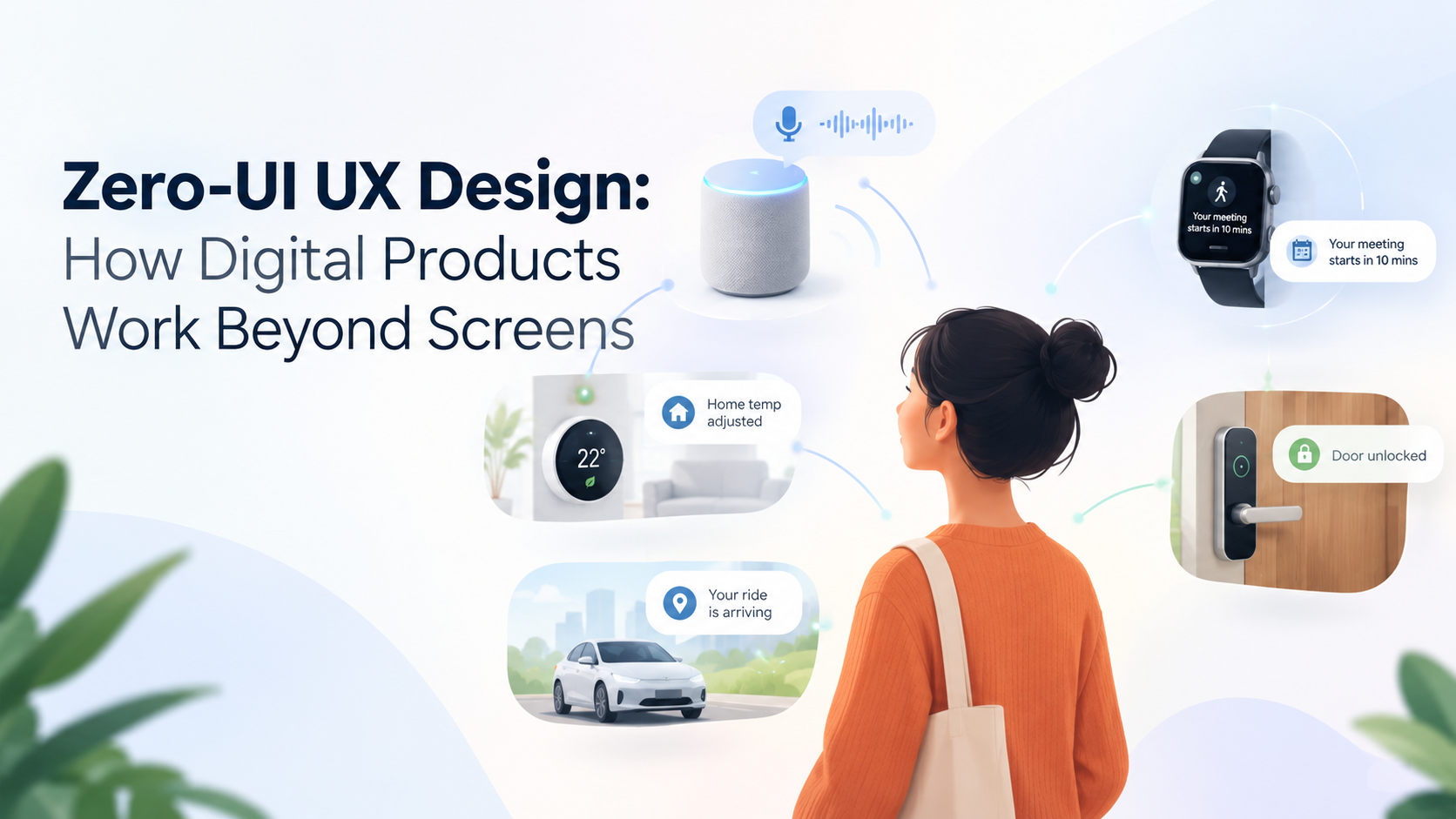
For years, digital product design revolved around screens, buttons, menus, and navigation.
Today, users can interact with technology through voice, gestures, sensors, notifications, wearables, AI assistants, and automated actions without opening a traditional interface.
This shift is creating a new design concept: Zero-UI UX.
Zero-UI does not mean that interfaces disappear completely. Instead, it means the interaction becomes less dependent on conventional screens and controls.
The product anticipates context, understands intent, and provides the right interaction at the right moment.
What Is Zero-UI UX?
Zero-UI refers to digital experiences where users interact with technology without relying primarily on a graphical user interface.
Instead of:
Open App → Navigate → Tap → Confirm
the experience might become:
Speak → System Understands → Action Happens
Or:
Sensor Detects Context → System Responds
Examples include:
- Voice assistants
- Smartwatches
- Gesture-based interactions
- Location-triggered experiences
- AI assistants
- Smart home automation
- Contextual notifications
- Connected devices
Why Zero-UI Is Becoming Important
People do not always want to open an application to complete a simple task.
If a user is driving, exercising, cooking, or carrying something, interacting with a traditional screen may be inconvenient.
Zero-UI can move the interaction closer to the user’s environment.
The technology becomes less visible while the outcome becomes more important.
1. Voice as an Interaction Layer
Voice is one of the most common examples of Zero-UI.
Users can ask for information, control devices, create reminders, or perform certain actions without navigating through multiple screens.
The challenge for designers is understanding conversational intent rather than designing only around visual navigation.
2. Context-Aware Experiences
A product can use contextual signals to determine what may be useful.
For example, a fitness application could detect that a user has started a workout and automatically surface relevant controls.
A travel application could provide boarding information when the user approaches an airport.
Context can reduce the number of manual actions required.
3. Smart Notifications
Notifications can become an important Zero-UI interaction.
Instead of requiring users to open an application, a notification can provide a relevant action directly.
For example:
“Your ride has arrived.”
with options to:
View Driver | Call Driver
The user can complete a simple task without navigating through the full app.
4. Wearables and Ambient Interfaces
Smartwatches, earbuds, smart glasses, and other connected devices create new interaction opportunities.
A product may distribute its experience across multiple devices rather than forcing everything into one smartphone screen.
This creates an important UX question:
Which device is best for this interaction?
5. Gesture-Based Interaction
Gestures can also reduce dependence on traditional controls.
Examples include:
- Hand gestures
- Wrist movements
- Head movements
- Touch gestures
- Device motion
The challenge is making gestures discoverable and predictable.
Users should not have to guess how an interaction works.
6. Predictive Experiences
AI can allow products to anticipate recurring needs.
For example, an application may recognize that a user regularly checks a particular report at the beginning of the workday.
Instead of requiring several navigation steps, the system could surface it automatically.
However, prediction should remain useful rather than becoming intrusive.
7. Invisible UX Needs Strong Feedback
Removing visible interfaces does not mean removing feedback.
Users still need to know:
- What happened?
- Did the system understand?
- Is the action complete?
- Can it be reversed?
- What happens next?
Feedback might be visual, audio, haptic, or contextual depending on the device.
8. Designing for Trust
Zero-UI systems can perform actions automatically.
That creates a higher need for transparency.
Users may want confirmation before important actions such as:
- Sending money
- Purchasing something
- Deleting information
- Sharing personal data
- Changing account settings
Automation should not remove user control.
9. Accessibility Opportunities
Zero-UI can create alternative ways to interact with digital products.
Voice, gestures, haptics, and adaptive interfaces can help users who find traditional touch interfaces difficult.
However, designers should avoid assuming that one interaction method works for everyone.
Multiple interaction options can make experiences more inclusive.
10. Zero-UI Is Not No-UI
This distinction is important.
Most products will still need traditional interfaces for complex tasks.
For example, voice may be excellent for:
“Show my recent transactions.”
But a visual interface may be better for comparing several financial records.
The strongest products can combine:
Screen + Voice + Gesture + AI + Sensors
based on the user’s context.
How Designers Should Approach Zero-UI
A useful process starts with the task rather than the interface.
Ask:
What is the user trying to accomplish?
Then determine:
What is the fastest and most natural interaction?
The answer may be a screen.
It may be voice.
It may be a notification.
It may be automation.
Or it may be a combination of several interaction methods.
Zero-UI and AI
AI is accelerating the move toward more natural interfaces.
Large language models can help systems understand natural language, while machine learning can identify behavioral patterns and contextual signals.
This can support:
- Conversational assistants
- Predictive actions
- Personalized experiences
- Automated workflows
- Contextual recommendations
But AI should support the user’s goal rather than make the interaction unnecessarily complicated.
Final Thoughts
Zero-UI represents a broader shift in UX design: from interfaces users operate toward experiences that respond to users and their context.
Voice, wearables, sensors, AI, notifications, and automation can all reduce unnecessary interaction steps.
Companies such as GeekyAnts work across UI/UX, mobile applications, and AI-powered product engineering, where these interaction models can be considered as part of the complete digital product experience.
The future of UX may not be about eliminating screens.
It may be about knowing when users need a screen and when they don’t.