I’ve been in the UI/UX space for a while now, and if there’s one thing I’ve learned, it’s that this field moves fast. Like, really fast. Every year I think “okay, this is it, things will settle down” and then boom—something completely shifts the game.
2026 is no exception. Actually, it might be one of the most transformative years I’ve seen. So I spent the last few weeks diving deep into what’s actually happening out there, talking to fellow designers, reading way too many case studies, and testing out new tools. Here’s what I found.
AI That Actually Adapts to You
We’ve been hearing about “personalization” for years, but 2026 is when it finally clicked. I recently used an app where the interface literally reorganized itself based on my workflow. At first I thought it was a bug. It wasn’t.
The AI underneath is watching how you work—not in a creepy way, more like a helpful assistant who notices you always reach for the same tools. Then it brings them closer. Netflix does this with content; now design tools are doing it with features. It’s wild when it works well, and mildly annoying when it doesn’t. The tech is still maturing.
Showing the AI’s Homework
Here’s something I didn’t expect: users are getting skeptical. Not of AI itself, but of AI that won’t explain itself. I ran a user test last month where participants got frustrated because they couldn’t understand WHY the app was making certain recommendations.
The fix? Transparency. Notion, Linear, and a bunch of other tools are now showing little explanations like “Suggested because you usually work on this at 9am” or “Based on your last three projects.” Sounds small, but it makes a huge difference in trust.
When No UI Is the Best UI
Okay, this one’s controversial. Zero UI—basically designing experiences that don’t need a traditional screen interface—is gaining traction. Think about how Apple’s AirDrop just… works when you’re near someone. Or how Spotify starts playing in your car automatically.
I’m personally torn on this. On one hand, fewer screens = less friction. On the other hand, I’ve seen Zero UI go horribly wrong when the “intelligence” makes wrong assumptions. My smart home once decided I’d left for work when I was just in the backyard. Chaos ensued.
Voice Finally Finds Its Place
Remember when everyone said voice would replace typing? Yeah, that didn’t happen. But something more interesting did—voice became a complement rather than a replacement.
I’ve started using voice commands while my hands are busy (cooking, driving, you know the drill), and honestly? It’s gotten way better. Siri and Google Assistant understand context now. I can say “add that to my Monday list” without specifying which list, and it actually figures it out. Three years ago that would’ve been impossible.
Apps That Read Your Mood
This sounds like sci-fi but stay with me. Some apps are starting to adapt their entire aesthetic based on context clues. Spotify already does this with their “daylist” feature—different vibes for morning versus evening.
I’ve seen design systems that shift from minimal and focused during work hours to more playful in the evenings. Is it gimmicky? Maybe. Does it feel surprisingly natural when done right? Absolutely.
Textures Are Back (and They’re Weird)
Flat design had a good run. But have you seen some of the new interfaces coming out? Buttons that look like they’re made of glass. Cards that seem to have actual depth. Hover effects that feel almost tactile.
Apple’s been pushing this with their “liquid” aesthetic, and others are following. Dribbble is absolutely flooded with these jelly-like, morphing interfaces. Some of it is over the top, but the best examples genuinely make interacting with apps more satisfying.
The Bento Box Layout Takeover
If you’ve used the new macOS widgets or browsed any modern SaaS dashboard recently, you’ve seen Bento layouts. Named after Japanese lunch boxes—content organized in distinct, rounded rectangular sections.
Why does this work? Because our attention spans are toast. (Thanks, TikTok.) Bento layouts let you scan quickly and dive deeper only where you want. It’s the design equivalent of tapas—small, digestible portions instead of one overwhelming plate.
Accessibility Isn’t Optional Anymore
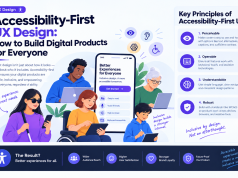
This might be the most important shift. Accessibility used to be treated as a “nice to have” or worse, a legal checkbox. Now? It’s foundational.
I worked on a project recently where we started with accessibility requirements FIRST, then designed around them. Game changer. The final product was actually better for everyone—cleaner hierarchy, better contrast, more intuitive navigation. Turns out, designing for edge cases often improves the experience for the mainstream too.
Designing for 3D Spaces
With Vision Pro, Quest 3, and Samsung’s new Galaxy XR all hitting the market, spatial design is becoming a real skill set. I took a workshop on it last fall and my brain hurt for a week.
Traditional UI rules don’t fully apply when your “canvas” is a 3D room. Where do menus go? How far should buttons be from the user? What happens when they walk around? If you’re not at least exploring this space, I’d suggest starting. The job postings are already showing up.
Designing for Robot Users
This one’s strange but stick with me. With AI agents like ChatGPT, Perplexity, and Arc’s browser assistant actually navigating websites FOR users, we now have to think about non-human visitors.
What does a bot need to understand your interface? Clean semantic HTML. Logical structure. Clear labeling. Basically, good fundamentals—but with a new motivation. Your next “user” might be an AI trying to book a flight on someone’s behalf.
So What’s the Takeaway?
Honestly? The through-line for 2026 is adaptability. Interfaces that change. Experiences that flex. Design that meets people (and bots) wherever they are.
It’s a lot to keep up with. I’m still wrapping my head around half of this stuff. But that’s what makes this field exciting, right? The moment you think you’ve figured it out, something new comes along and humbles you.
Anyway, that’s my read on where things are headed. Would love to hear what you’re seeing in your work—drop a comment or hit me up. And if you think I’m completely wrong about any of this? Even better. Let’s debate.