Users no longer expect every digital product to behave exactly the same for everyone.
A returning customer may want quick access to previous purchases, while a new visitor may need guidance and product discovery. A business user may prioritize dashboards and reports, while another user may care more about notifications and collaboration.
This is where AI-powered UX design is becoming increasingly important.
Instead of relying only on fixed user flows, modern products can use artificial intelligence to understand behavior, identify patterns, and adapt experiences around individual needs.
The goal is not simply to add AI to an interface.
It is to use AI where personalization can make the product easier, faster, and more relevant to use.
What Is AI-Powered UX Design?
AI-powered UX combines traditional user experience principles with technologies such as machine learning, recommendation systems, natural language processing, and generative AI.
A traditional interface might show the same homepage to every user.
An AI-powered experience can adapt based on factors such as:
- User behavior
- Previous interactions
- Preferences
- Location
- Context
- Purchase history
- Search activity
- Frequently used features
The interface can then surface information that is more relevant to the individual user.
Why Personalization Matters in UX
A product may contain dozens or hundreds of features.
Showing everything to every user can create unnecessary complexity.
Personalization can help users reach relevant actions faster.
For example, a banking application could prioritize:
Recent Transactions → Transfers → Bills → Account Overview
for one customer, while another customer may frequently use:
Investments → Portfolio → Market Updates → Research
The product remains the same, but the experience becomes more relevant.
1. Personalized Home Screens
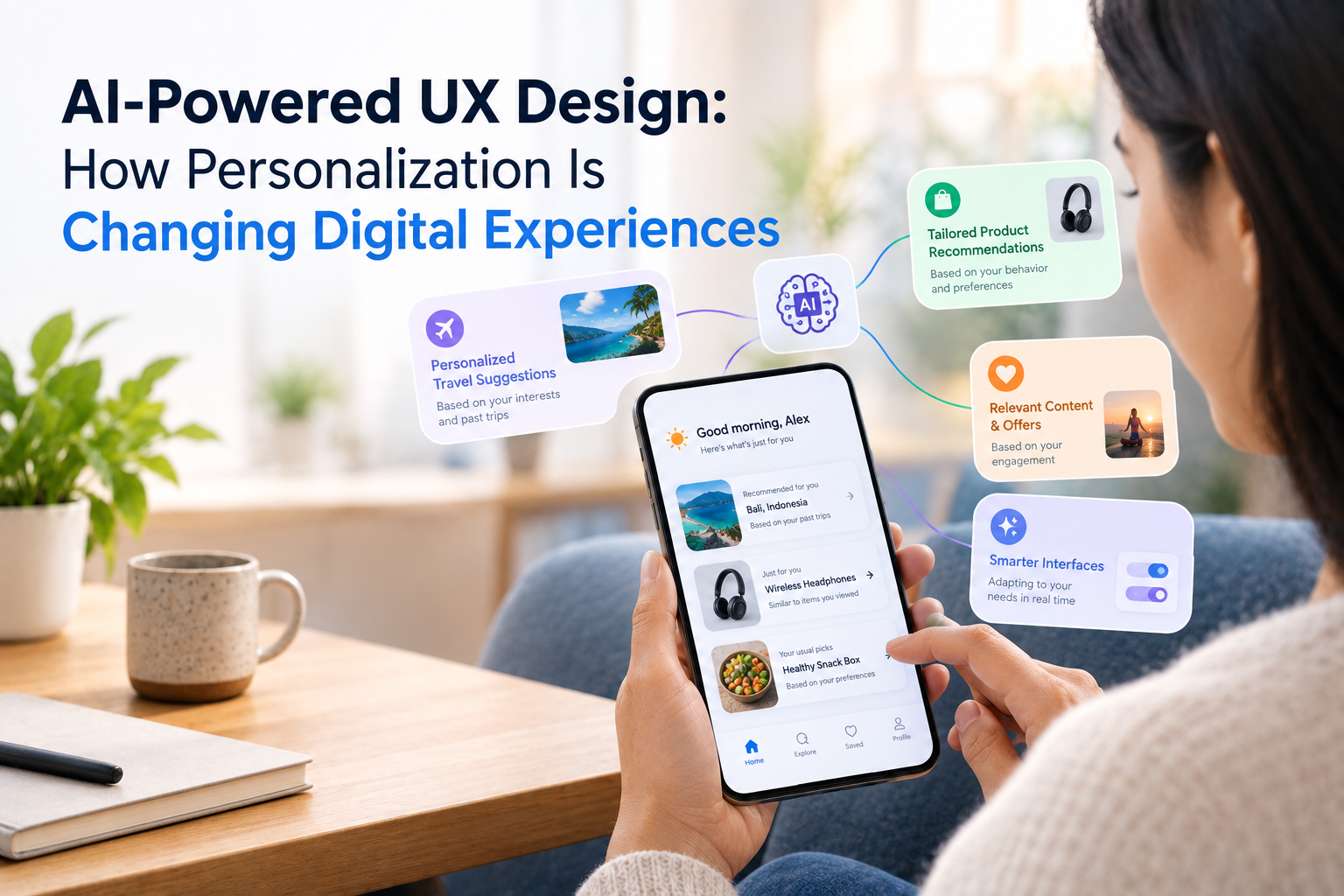
The home screen is one of the strongest opportunities for AI-driven personalization.
Instead of relying entirely on static layouts, products can dynamically prioritize:
- Frequently used features
- Recent activity
- Recommended content
- Pending tasks
- Relevant offers
- Important notifications
The interface should still remain predictable.
Personalization works best when it helps users rather than constantly rearranging the experience.
2. Smarter Recommendations
Recommendation systems can help users discover relevant products, content, services, or actions.
Examples include:
- Shopping recommendations
- Music suggestions
- Video recommendations
- Travel destinations
- News topics
- Learning content
- Financial insights
Good recommendations should provide value without feeling intrusive.
3. AI Search Experiences
Search is also changing.
Traditional search expects users to enter specific keywords.
AI-powered search can interpret more natural requests.
For example:
“Show me affordable running shoes suitable for long-distance training.”
The system can understand multiple requirements and return more relevant results.
This can reduce the effort users need to spend learning how a product’s search system works.
4. Predictive UX
AI can identify patterns in user behavior and anticipate what someone may need next.
For example, a project management application could recognize that a user frequently reviews a particular report every Monday morning.
The system could surface that report automatically.
Predictive UX can reduce repetitive navigation when used carefully.
5. Conversational Interfaces
AI assistants can provide another interaction layer inside digital products.
Users may ask:
- “Summarize my recent activity.”
- “Find my highest-performing campaigns.”
- “Show unfinished tasks.”
- “Compare this month’s sales with last month.”
Instead of navigating through multiple screens, users can describe what they need.
The interface can then combine conversational input with traditional visual components.
6. Adaptive Onboarding
Not every user needs the same onboarding experience.
A beginner may need explanations and guided steps.
An experienced user may prefer to start immediately.
AI can potentially identify signals about user familiarity and adapt onboarding accordingly.
This can help reduce unnecessary screens while still supporting new users.
7. AI-Powered Accessibility
AI can also support more adaptive experiences.
Potential applications include:
- Voice interaction
- Automated captions
- Content simplification
- Image descriptions
- Personalized text presentation
- Language translation
- Assistive navigation
The objective should be to expand accessibility rather than create separate experiences that exclude certain users.
8. Personalization Without Losing Control
There is a major difference between helpful personalization and invisible manipulation.
Users should understand important recommendations and decisions.
For example, if an application recommends a product because someone previously purchased a similar item, the recommendation should not feel mysterious.
For sensitive experiences, products may also need controls that allow users to manage personalization preferences.
9. Privacy Must Be Part of UX
AI personalization often depends on user data.
This can include:
- Browsing behavior
- Location
- Purchase history
- Preferences
- Interaction patterns
Designers need to consider what data is collected, why it is needed, how it is used, and what control users have.
Privacy should be designed into the experience rather than added as a policy page after development.
10. Don’t Let AI Make the Interface Unpredictable
One of the biggest UX risks is excessive automation.
If the interface changes too frequently, users may stop knowing where things are.
A good AI-powered experience should balance:
Personalization + Consistency + User Control
The product can adapt while keeping important navigation and functionality familiar.
How AI Changes the UX Design Process
AI can influence the design process itself.
Design teams can use AI to support:
Research
Analyze large amounts of feedback and identify recurring themes.
Ideation
Explore alternative user flows and interface concepts.
Prototyping
Generate variations of layouts and interaction patterns.
Testing
Identify usability patterns from larger sets of feedback.
Optimization
Analyze behavior and recommend potential improvements.
AI can accelerate design work, but human designers still need to validate whether an experience makes sense for real users.
AI UX Needs Human Oversight
AI can identify patterns, but it does not automatically understand every human need.
Designers still need to consider:
- Emotional context
- Accessibility
- Trust
- Business objectives
- Cultural differences
- Ethical implications
- Edge cases
The strongest approach combines machine intelligence with human-centered design.
A Practical Framework for AI-Powered UX
Before adding AI to a product, teams can ask:
1. What user problem are we solving?
Avoid adding AI simply because it is available.
2. What data is required?
Identify the minimum information necessary.
3. What should AI decide?
Keep high-impact decisions under appropriate human control.
4. How will users understand the experience?
Make important recommendations and automated actions understandable.
5. What happens when AI is wrong?
Design clear correction and recovery paths.
6. Can users override the system?
Personalization should not remove user agency.
Final Thoughts
AI-powered UX design is moving digital products from static experiences toward more adaptive interfaces.
Personalized home screens, smarter search, predictive experiences, conversational interfaces, adaptive onboarding, and AI-powered accessibility can all reduce friction when they are applied thoughtfully.
Companies such as GeekyAnts work across UI/UX, AI-powered product engineering, and digital product development, where personalization can be considered alongside product strategy, technology, and usability.
The best AI-powered UX is not the interface that uses the most AI.
It is the one where AI quietly removes unnecessary effort while keeping the user in control.